Bills and value-added services

Give your team one app for bills, taxes, airtime, data, and everyday service payments.

SwApp supports utility payments, URA taxes, school fees, airtime, data, banking services, and customer payment workflows for businesses that need validated transactions, receipts, and clear records.

URA, utilities, and school fees Airtime and data App and dashboard records
Key capabilities

What your team can use this module to do.

Focus on the action, the status, and the record your team needs after the transaction starts.

Utility and bill workflows

Support customer payments for everyday services through a secure business platform and mobile app.
Reference validation

Reduce errors by capturing the right customer, amount, and reference details before payment.

Counter and field use cases

Give approved staff, service points, and agent networks a controlled workflow for customer payment services.

Transparent reporting

Track payment history, service type, customer reference, transaction status, fees, and commissions where applicable.

App screens

Bill and service workflows are visible inside the SwApp app.

These screens show the service catalogue customers and approved users work from, including taxes, utilities, airtime, data, school fees, and banking services.
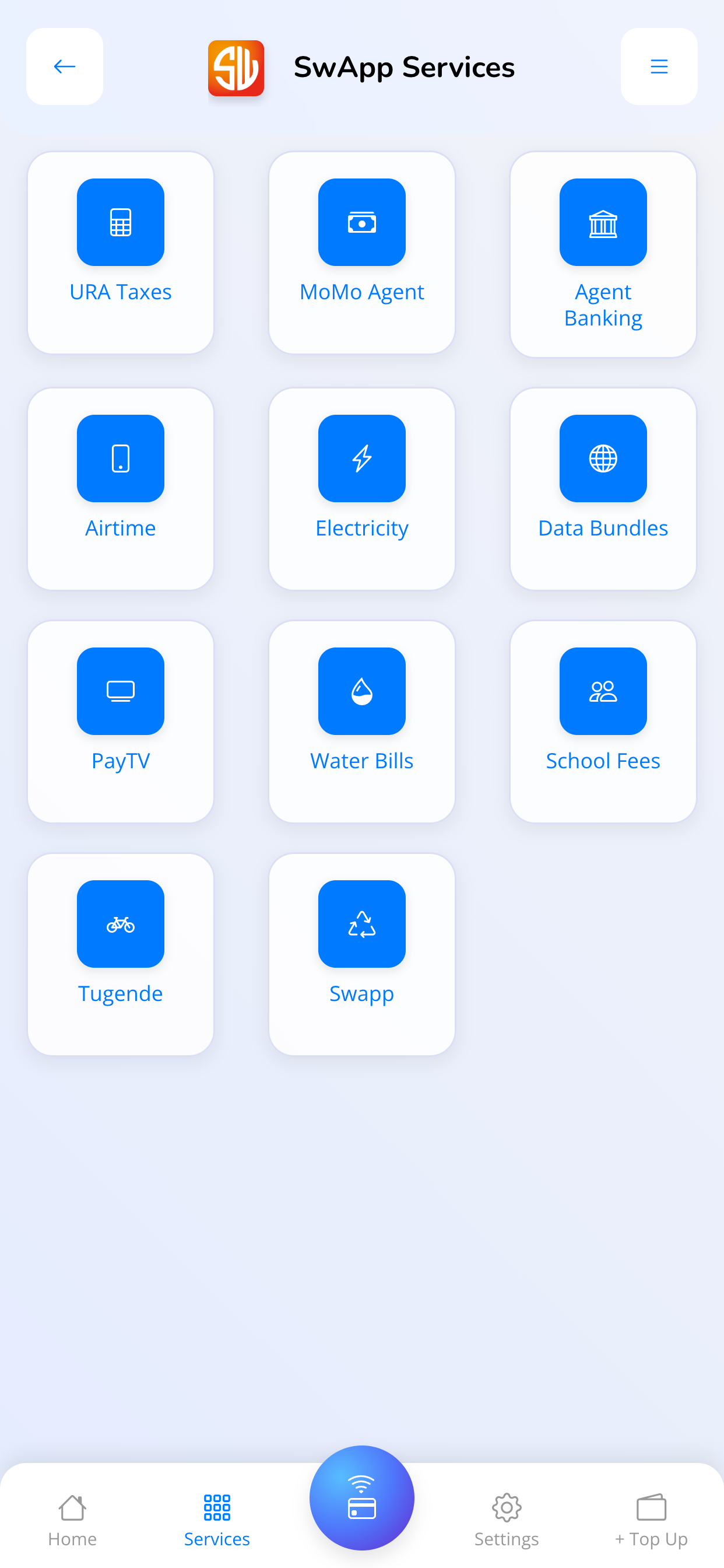
SwApp services screen showing bill, utility, tax, airtime, data, and school fee services

Service catalogue

URA taxes, electricity, water bills, school fees, airtime, data bundles, and other services are grouped in one mobile menu.
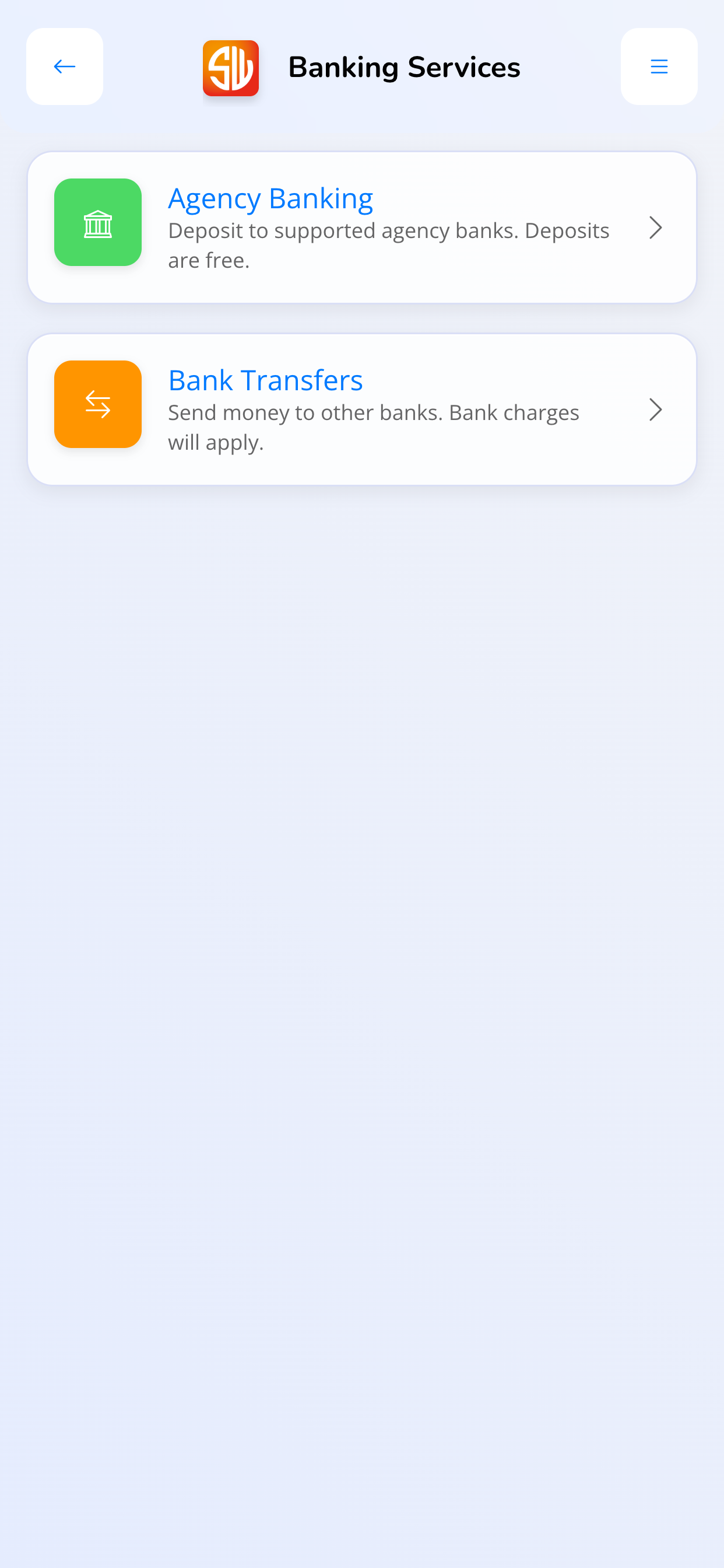
SwApp banking services screen showing agency banking and bank transfers

Banking services

Supported banking workflows are available alongside bill and customer-service payments.
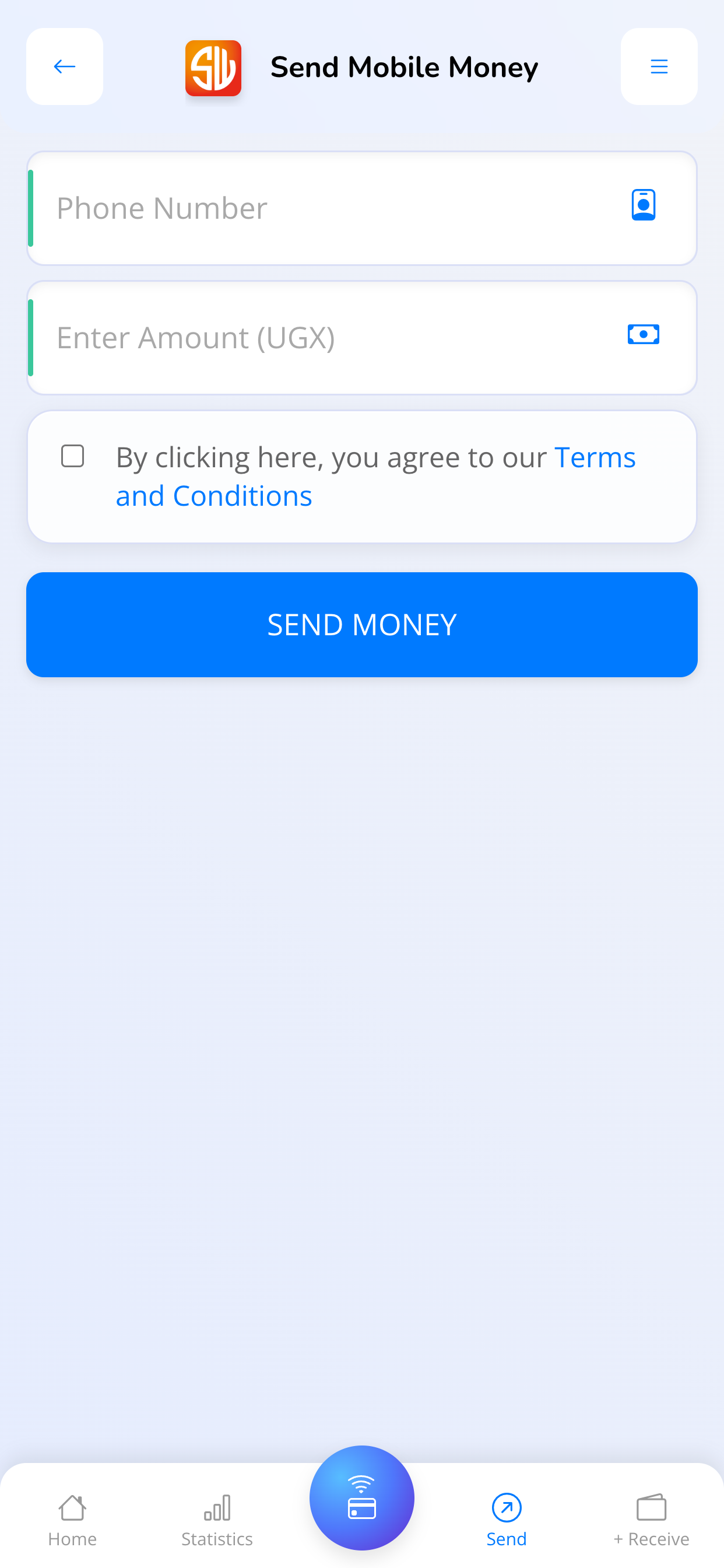
SwApp payment execution screen showing phone number and amount fields

Payment execution

Payment forms capture the customer details and amount needed before a transaction is submitted.

Use the SwApp app for supported bill and service payments.

Download the Android app from Google Play for mobile workflows. Businesses that need web dashboards, roles, reporting, or reconciliation can onboard through SwApp support.

Download Android app
Best fit

Who this is for.

Use this when your team needs a controlled workflow, reliable records, and follow-up after money moves.

  • Businesses offering bill services
  • Retail service points
  • Customer service teams
  • Schools and institutions
  • Agent networks

Typical workflow

  1. Select the service and capture customer reference details.
  2. Validate the transaction and collect payment.
  3. Confirm the payment and keep the record for reporting.

Ready to see how this fits your organization?

Tell us about your collections, payouts, reconciliation, or operating workflow today. We will map the right SwApp modules to that workflow.

Request a consultation